Every thread about Home Assistant Green reaches the same complaint: 199 dollars for a box slower than a Raspberry Pi. Google's own "people also ask" box leads with "Why is Home Assistant Green so expensive?"
The complaint compares the wrong two things. And once you compare the right ones, the interesting differences turn out to have nothing to do with price or CPU speed.
What is actually in the box#
Home Assistant Green is 199 USD / 179 EUR and ships with:
- Rockchip RK3566, quad-core Cortex-A55 at 1.8 GHz
- 4 GB LPDDR4X RAM
- 32 GB eMMC storage, soldered
- Gigabit Ethernet, 2x USB 2.0, HDMI
- Case, power supply with EU/US/UK adapters, Ethernet cable
- Around 1.7 W idle
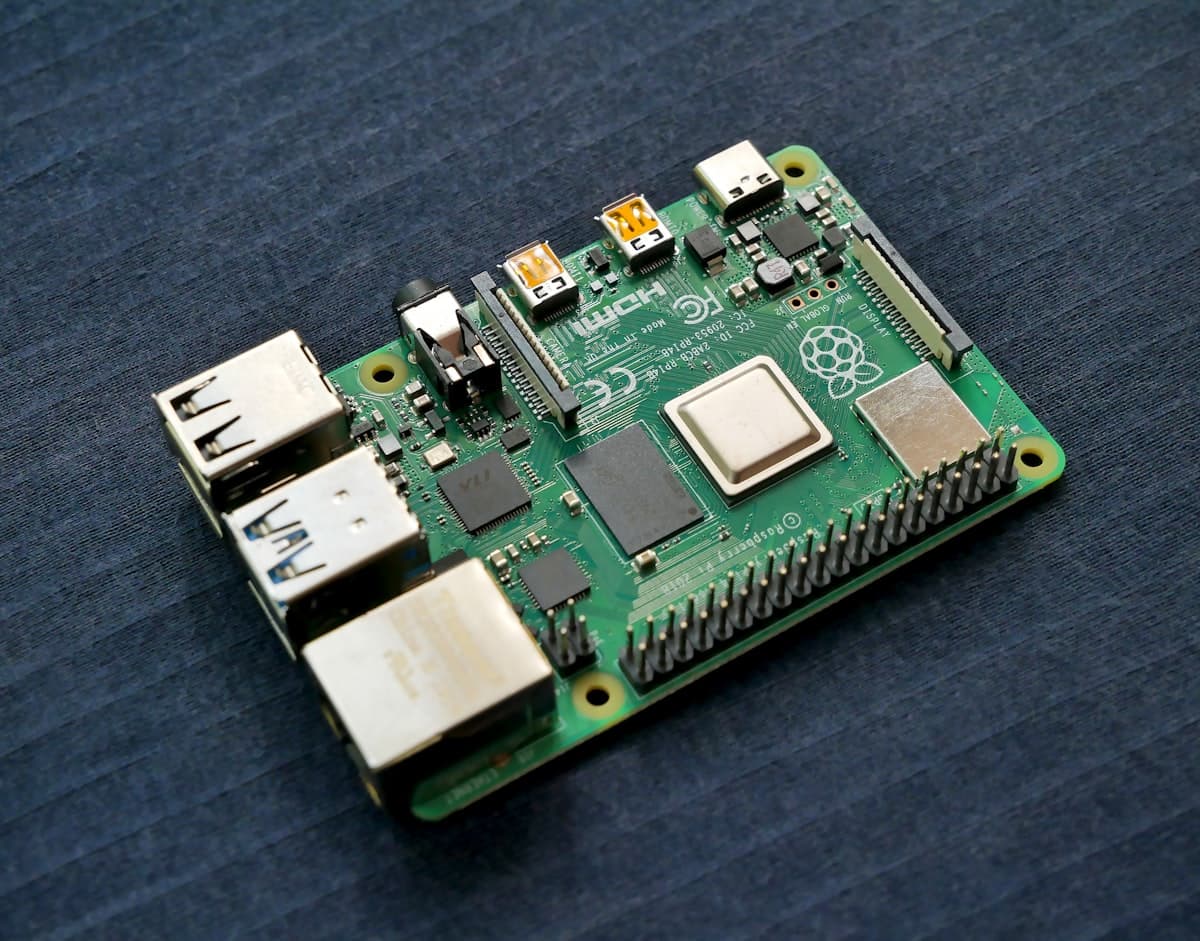
A bare Raspberry Pi 5 board is cheaper. But a bare board does not run Home Assistant. To match what is in that box you also need a power supply, storage and a case - and on the Pi 5 the supply is not a detail: the board takes 5 V at 5 A (25 W), or 5 V at 3 A (15 W) with every USB peripheral limited to 600 mA combined. Buy the small one and your Zigbee dongle and NVMe drive fight over the budget.
Add a genuine A2 card or an NVMe drive with a HAT, and the price gap narrows to somewhere between "small" and "gone", depending on what you pick and where you buy.
So Green is not expensive. It is priced like a finished product, because it is one.
That said, cheap is not why you would choose either of these. Here is what actually separates them.
Difference 1: storage, and this is the big one#
Green stores everything on soldered eMMC. A Raspberry Pi, unless you spend more, stores everything on a microSD card.
This is not a performance footnote. Home Assistant's recorder writes every state change to a database - every motion trigger, every temperature reading, every light toggle - which is a relentless stream of small writes to a card designed for holiday photos. The recorder documentation names failing flash storage first among the causes when a database has to be abandoned.
Ask in any Home Assistant forum how people lost a setup and the answer is overwhelmingly a dead SD card.
Green removes that failure mode by having no card at all. A Pi 5 removes it too, by booting from NVMe over PCIe - but that is the HAT and the drive you have to buy and fit. A Pi 4 on an SD card does not remove it at all.
If you take one thing from this comparison: the storage decision matters far more than the processor. A slow machine that runs for four years beats a fast one that eats a card every eight months.
Difference 2: neither has a Zigbee radio#
This surprises people who assume the official hardware comes complete.
Green has Ethernet, two USB 2.0 ports and HDMI. No Zigbee, no Thread, no Z-Wave. Any of those needs a USB adapter - exactly as on a Raspberry Pi. Green's advantage here is negative, in a useful way: its ports are USB 2.0, and USB 3.0 is precisely what interferes with the 2.4 GHz band Zigbee uses.
That interference is real and documented. Home Assistant's guidance is to put the adapter on a shielded USB extension cable, use a USB 2.0 port rather than 3.x, and where only 3.x exists, add a powered USB 2.0 hub. 50 cm of cable is enough to help. On a Pi 5, whose fast ports are USB 3.0, this is a cable you should plan on buying.
Home Assistant Yellow did have a radio built in - a Silicon Labs MGM210P covering Zigbee 3.0, Thread and Matter, plus an M.2 NVMe slot and Power-over-Ethernet. It is the machine both of these want to be. Its variants list as out of stock, and Yellow Standard production ended after Green launched, so it is not a purchase you can currently make.
Difference 3: what else the machine can do#
Green runs Home Assistant. That is the design, and the two USB 2.0 ports and absent PCIe are the honest expression of it.
A Raspberry Pi is a general-purpose computer. Same box can run Jellyfin, Frigate, a Pi-hole, Docker containers, whatever you add in two years when the hobby grows. If you already suspect you will want that, the flexibility is the reason to choose it - not the price and not the benchmarks.
About the CPU#
Green's Cortex-A55 and the Pi 5's Cortex-A76 are different classes of core: A55 is ARM's efficiency design, A76 the performance one, and the Pi 5 runs it at 2.4 GHz against Green's 1.8 GHz. The Pi 5 is meaningfully faster.
For Home Assistant itself, this rarely shows. The system spends its life waiting on the network - polling a sensor, holding an MQTT connection, sitting idle between automations. Green's 4 GB of RAM matches the official minimum of 2 GB with room to spare.
The CPU starts mattering when you add things that actually compute: camera processing in Frigate, local voice, big database queries over years of history. Those are also exactly the workloads that want more than Green's two USB 2.0 ports and no PCIe. The CPU is a symptom of the flexibility difference, not a separate reason to choose.
So which one#
Green if Home Assistant is the whole point, you would rather not research power supplies and storage classes, and you want the SD card question to not exist. It arrives working. Nothing to assemble, nothing to choose.
Raspberry Pi 5 if you want NVMe storage, want to run other services on the same machine, or simply enjoy having a machine you can repurpose. Buy the 5 A supply, budget for a shielded USB extension for the Zigbee adapter, and you have something more capable for roughly the same money.
Raspberry Pi 4 if you have one already. It runs Home Assistant perfectly well. Just be honest that you are on an SD card, and act accordingly - a real A2 card from a real brand, chatty entities excluded from the recorder, and backups going somewhere other than that card.
Our guide to choosing a Raspberry Pi covers the four hardware mistakes that end installs, whichever board you land on.
One thing both of them need#
Neither Green nor a Raspberry Pi can be reached from outside your house on its own. Home Assistant does not enable remote access by default, and that is the right default.
The options are the same for both:
- Nabu Casa (6.50 USD or 7.50 EUR a month) - immediate, funds the project, Home Assistant only.
- Tailscale or WireGuard - nothing exposed publicly, but everyone in the household installs a client.
- A reverse SSH tunnel - the device dials out, so nothing is forwarded and nothing listens on your router. Family gets a normal HTTPS link.
SmartHomeEntry is the third of those. The outbound direction matters more than it sounds: if your ISP has you behind CG-NAT - standard on mobile internet, increasingly common on fibre - port forwarding cannot work at all, whatever you do to the router. The remote access guide explains how to tell.
Whichever box you buy, that part does not change.